
Introduction
For the past 7 years, I have been actively planning various long-term goals 📝 for each year, as well as actively planning and outlining short-term tasks for the last 5 years. Over the past five years, my tools 📑 have undergone numerous changes in search of the most effective way to manage my tasks.
Anti-Degradation Plan
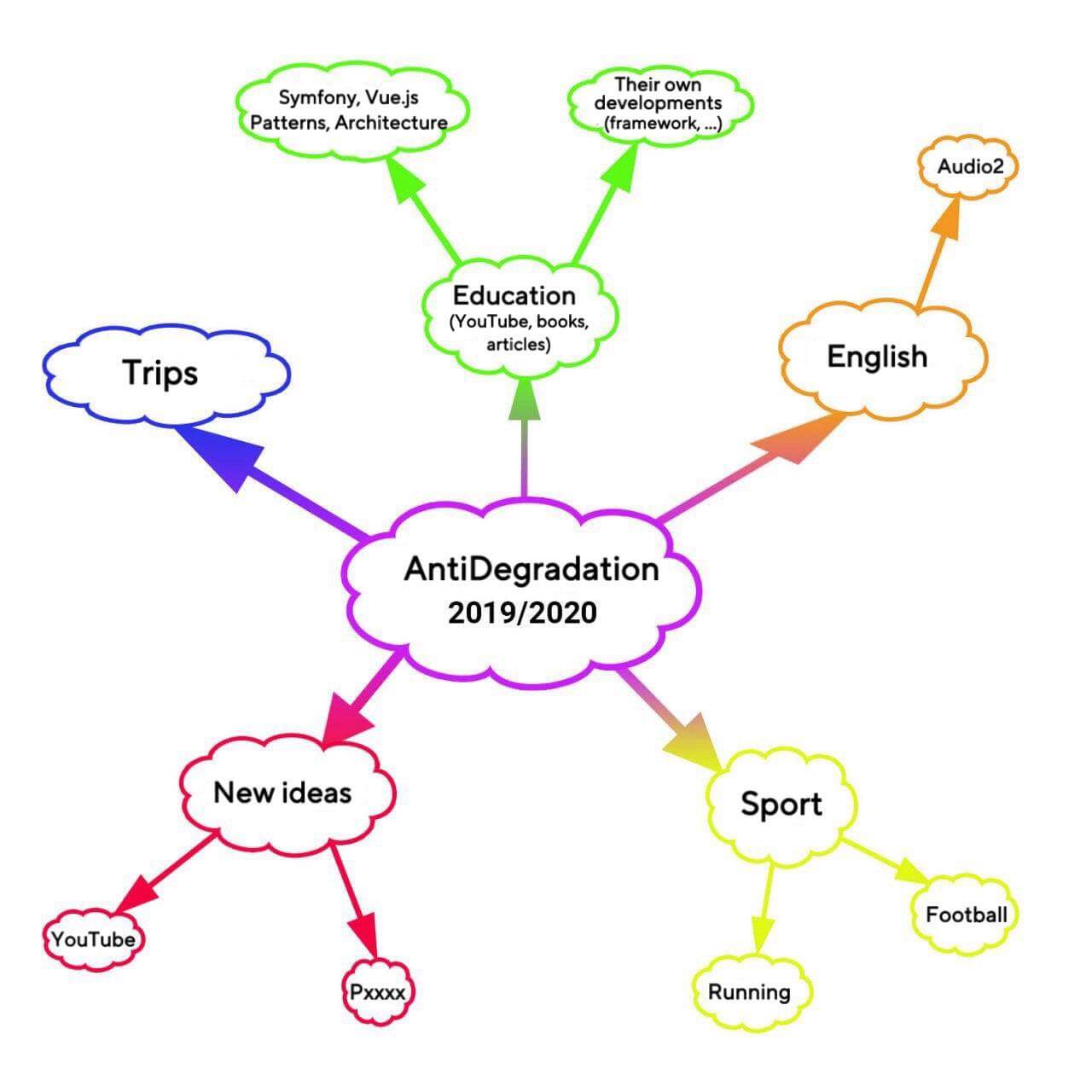
It all started with the fact that I placed all my goals and interests that I wanted to cultivate and pursue right on my desktop as a background image 🌅. This was convenient; all the necessary paths for my personal development and interests were always in front of my eyes. I followed this scheme for 2 years (2019 and 2020). I even gave this scheme a clear name: "Anti-Degradation Plan." This approach had its pros and cons. The advantages I have already mentioned: all global tasks and goals were visible, you always paid attention to them, which meant they didn't linger for long, and you would start working on them, thus bringing yourself closer to your set goals. The downsides of this approach were that I needed a place to store short-term tasks and goals 🤔: after all, any large task is always broken down into several smaller ones, and it is impossible to keep all the minor tasks in your head for a short period, let alone for weeks and months.
Stickers
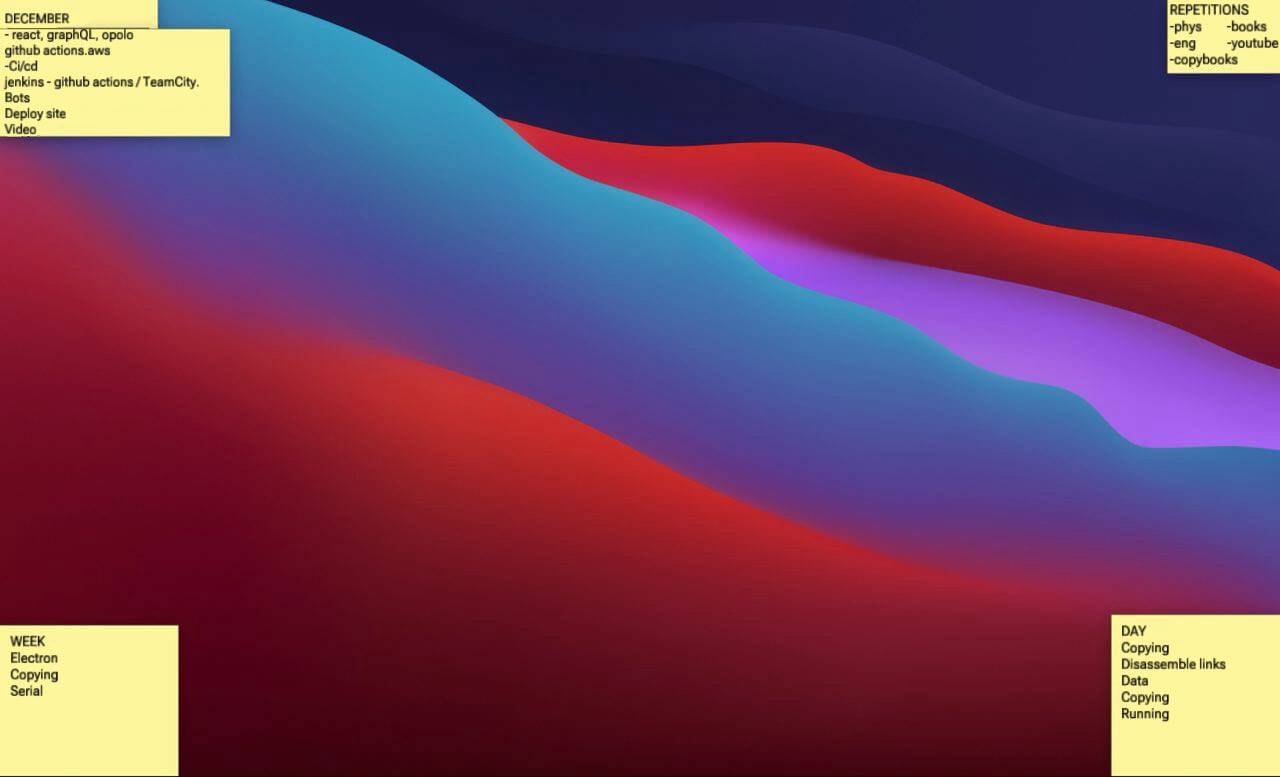
In place of the "Anti-Degradation Plans," I started using notes in the form of stickers 📌. They were also placed on my desktop. There were exactly 5 such sticky notes. Here's what I used these stickers for:
- Repeating daily tasks
- Tasks for today
- Tasks for the week
- Tasks for the month
- Birthdays of close friends and family in the current month
All these notes were minimal in size, and each of them was located in the corner of the screen, so together they occupied no more than 15-20 percent of the desktop 💻. The tasks, from repeating tasks to monthly tasks, were arranged in the corners in a clockwise direction (repeating tasks at the top right, today's tasks at the bottom right, weekly tasks at the bottom left, and monthly tasks and birthdays in the top left corner). The birthday sticker was almost completely hidden under the monthly tasks sticker to save space on the desktop. While it's clear what the list of birthdays for the current month contains, the other lists (what they store) might not be as clear. Therefore, I will elaborate a bit on what exactly was included in these lists and provide examples. The repeating 🔁 tasks included tasks that ideally needed to be performed every day (doing something in English (reading/series/Duolingo/other), physical exercises (playing football/running/other), writing with my left hand, reading a book). You might have your own tasks. The tasks for today 📅 should also be clear. I often created such a list in the evening so that I wouldn't forget everything I needed to do during the day. This daily task list could include both personal tasks and important work-related tasks that I needed to remember. The weekly tasks sticker should also be understandable; it recorded tasks for the week, and then throughout the week 📋, I would move some tasks into the daily tasks. The monthly task list 🗓 operated on a similar logic: first, tasks would be moved into the weekly task list (in one of the weeks of the month), and then on one of the days, I would try to take tasks from the monthly list into the daily list and complete them.
This system worked quite well for a long time. For at least two years, I maintained sticky notes on my desktop and managed my tasks. Now, I no longer had my annual goals 🎯 in front of me. Perhaps I didn't need them anymore because over the past two years, I had learned to think about my annual goals without the need for explicit reminders. However, if there was a goal that I constantly forgot or couldn't get to, I would place it in the monthly task list and try to accomplish it in the current month, although sometimes such tasks (especially if they were very long) would be postponed (remaining on the list) to the next month.
This system was quite productive, but there were still some things I didn't like about it 🌝. Sometimes weeks and months would go by, and I still wouldn't get around to certain tasks that were inconvenient for me. It's hard to say whether procrastination was to blame or I genuinely couldn't manage to complete some tasks, but a small portion of tasks regularly wandered ↩️ from one week to another, from one month to the next.
Note Manager
Not long ago, I switched to a different note-taking program 📋 and gave up sticky notes on my desktop. I won't disclose which program it is, but it's quite basic. You can group notes, create unlimited nesting, use search functionality, and other simple but important features. However, the problem of procrastinating on certain tasks hasn't gone away.
Sprints
Since the beginning of the year, I decided to apply the Scrum approach to my personal life. I only took a few terms from Scrum, namely backlog and sprints. In short, the backlog is simply a list of tasks 📋 that need to be completed. Then, these tasks are divided into groups of N tasks. Each group is called a sprint 📂. Typically, I don't take more than 5-8 tasks in a sprint. Sprints are not tied to weeks or months, and each sprint can have a different duration for completion. However, I usually plan a sprint for no more than 1.5 months. The main distinguishing feature of this new approach is that I do not move on to the next sprint (or other tasks from the backlog) 🙅♂️ until I have completed all the tasks from the current sprint. My backlog isn't so large that the task list stretches for years, but it's definitely enough for several sprints. I also do not include spontaneous ideas 💭 and "wants" in the current or next sprint, which are likely already formed by tasks. Such spontaneous tasks only go into the backlog. Then, if after some time the need for these tasks remains high, they are added to a new sprint. Another change that has indirectly affected my tasks is that I read books only through sprints. I create a task for reading books, selecting 3-4 books 📚 to read simultaneously within one task. Then, in the next sprint, if I want to gain additional education, I obtain it from other sources rather than books. I hope the total number of books I read in a year won't suffer and will remain around 25 books per year. One of the main downsides of this approach, as well as the entire new program, is that I stopped keeping a list of birthdays 🎉. However, nothing prevents me from transferring the list to the note manager and referring to it regularly.
Conclusions
This year, I switched to a new note-taking program and also applied a new approach to task management (Scrum). It's far from certain that this program and approach will be with me for a long time, as needs change over time, tools improve, and approaches adapt based on user experience. However, at the moment, I have found the most convenient tool and methodology for managing my personal and work tasks.